
Design It Right. The First Time
ONE OF A KIND
SIMPLE
PREEMPTIVE
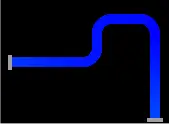
SEAMLESS
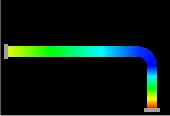
PROFIT BUILDER
What is checkSTRESS?
checkSTRESS is a unique solution to the old problem of project delays caused by "back and forth" piping layout iterations between the Design and Stress Engineering departments.
Simple and elegant, checkSTRESS' graphically intuitive interface helps the designer produce code-compliant piping layouts in the first iteration, dramatically reducing the project execution and the total elapsed time.
checkSTRESS products!
Under the checkSTRESS brand name, three products (for PDMS/E3D, CADMATIC, SmartPlant, AutoCAD Plant 3D, CATIA, and others) are available namely
- checkSTRESS (which generates input file for CAEPIPE)
- checkSTRESS II (which generates input files for both CAEPIPE and CAESAR II)
- checkSTRESS Nuke (which generates input files for both CAEPIPE and PIPESTRESS)
Note: checkSTRESS is included in CAEPIPE 3D+
Does It Make Business Sense?
Consider five designers working on a piping layout with one stress engineer validating their layouts. The engineer becomes the bottleneck; s/he simply cannot sign off on all the stress projects in a timely manner, what with having to do a "back-and-forth" design review with the five designers to first arrive at an acceptable layout before delving into the analysis details. The engineer spends most of his/her time working with the designers to first arrive at an acceptable layout, ONLY after which s/he will be able to attempt to get into the detailed analysis work.
RESULT: Less reliable piping systems due to hastily done analyses. Might lead to either a failure in the field or expensive redesigns and/or rework at site.
FINAL OUTCOME: Inevitable project delay.
With checkSTRESS, you get reliable systems without project delays. It makes perfect business sense.
Download DatasheetcheckSTRESS Videos
checkSTRESS works as an add-on to PDMS or CADMATIC and as a standalone software for others. For more information, watch the videos below.

What is checkSTRESS?
Basic Layout check
A few Advanced Features
Additional Information
Supported Platforms:
Click here for a free evaluation version of checkSTRESS

checkSTRESS Examples
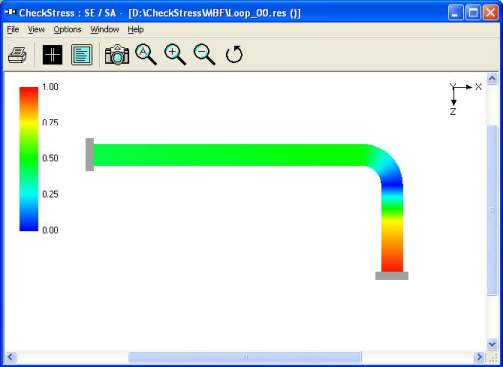
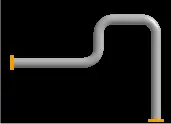
Example 1: Using Expansion Loops
Shows How Expansion Loops Help Manage Thermal Expansion In Piping Systems.
checkSTRESS Examples
checkSTRESS User's Manual
Complete Guide Covering All Features, Workflows, And Usage Instructions.


What's our customer says?

So little effort required to validate your design.

Claes Andersson Metso Paper
Sweden
The free Review module of software is always a very smart way to share the results of your calculations with your clients, so that they can view the results or print and plot them

Ing. Elio MARCUCCI
Plant Design Engineer, EM Studio, Italy.
CAEPIPE is a must-have tool for any engineer dealing with piping systems. It streamlines our work, enhances safety, and offers top-notch customer support.
J. Sridhar
Fives Cail-KCP Ltd., India
CAEPIPE is easy to use with intuitive commands and easy editing. Excellent customer support.
Pat LaPointe
PCLL Engineering Ltd, Canada
CAEPIPE 3D+ works seamlessly with our integrated PID/3D modeling system. CAEPIPE 3D+ allows our designers to interactively assess the piping configuration as they construct the 3D model of the system. This greatly speeds up the design process.
Rod Soule
ENCOREDEC, USA
The user manuals provided are very in-depth and comprehensive. There isn’t any situation I’ve encountered in my pipe stress analysis projects which has not been covered or addressed in the user’s manual.
Thomas W. Lamar, P.E
PID Engineering, USA
I have performed stress analysis using a variety of programs for over 40 years. CAEPIPE is the best stress program available and strongly urge any company to purchase it. The support team is quick to respond when needed but rarely needed.
Rusty Prince PE
Prince Engineering, Inc., USA