

SuperProNet Service Help
Quick guidance to restart and configure the SuperProNet (Sentinel Protection Server) service, ensuring smooth and reliable network licensing for CAEPIPE and other SST software.
Restarting the SuperProNet Service
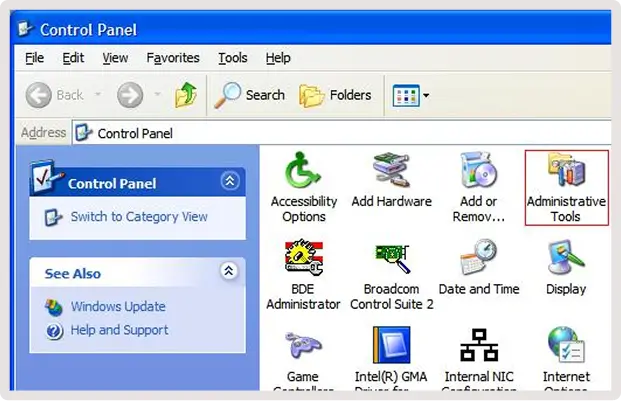
Open the Control Panel and double-click on Administrative Tools.
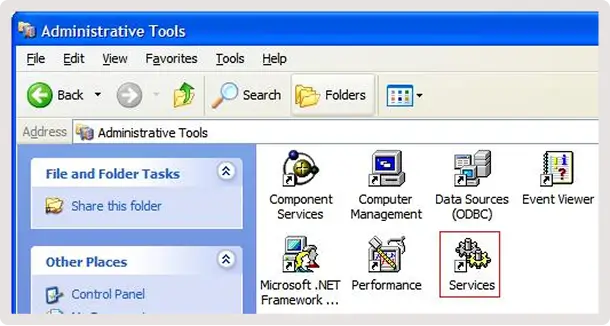
Double-click on the Services icon.
Scroll down to the Sentinel Protection Server listing and click on it.
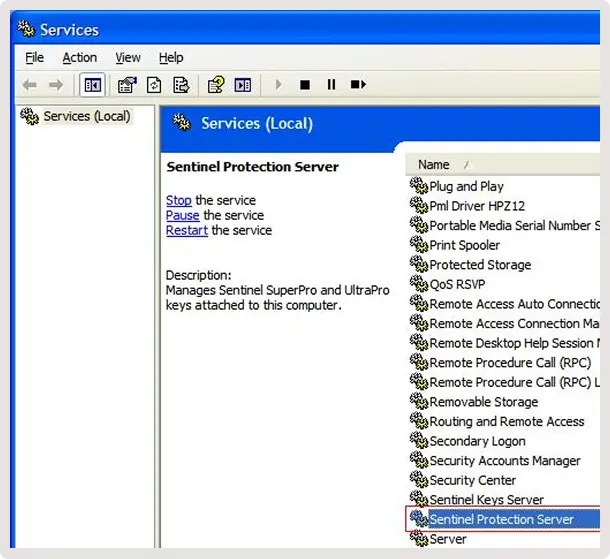
In the left column click on the Restart button.
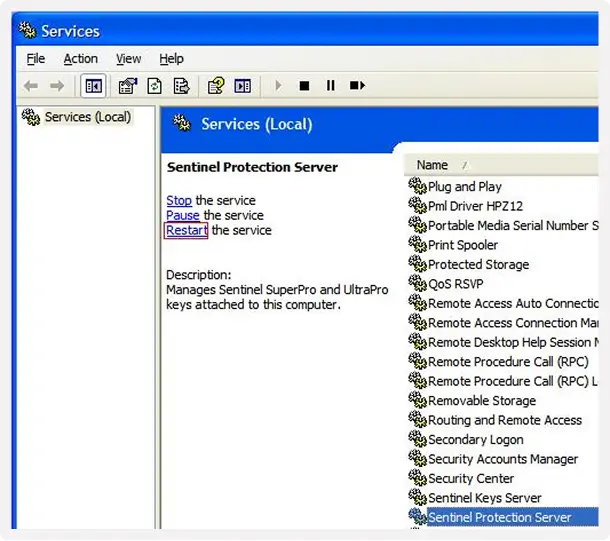
Automating the SuperProNet Service
Open the Control Panel and double-click on Administrative Tools.
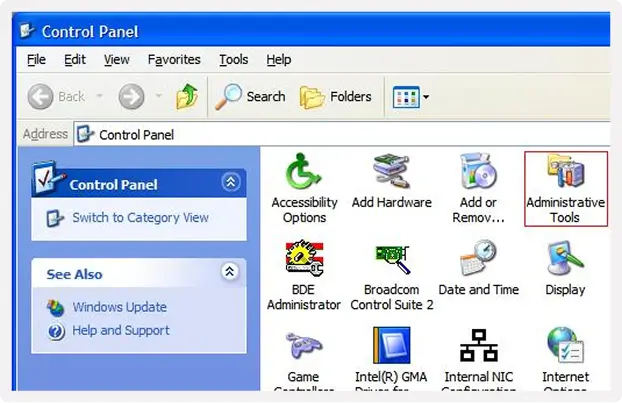
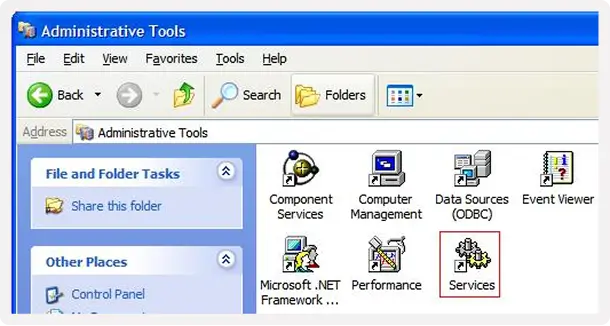
Double-click on the Services icon.
Scroll down to the Sentinel Protection Server listing.
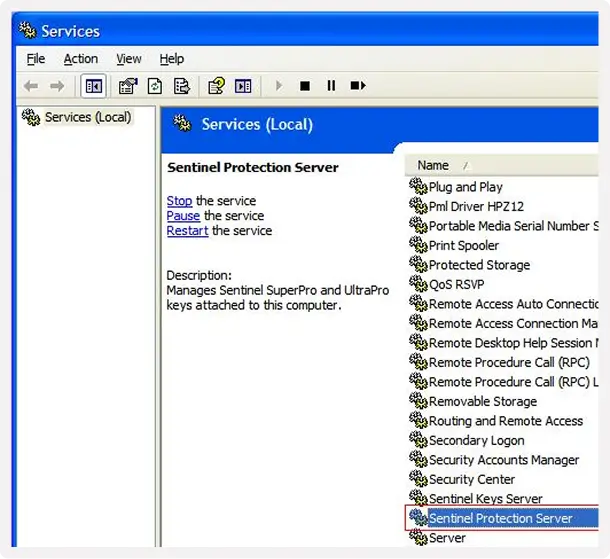
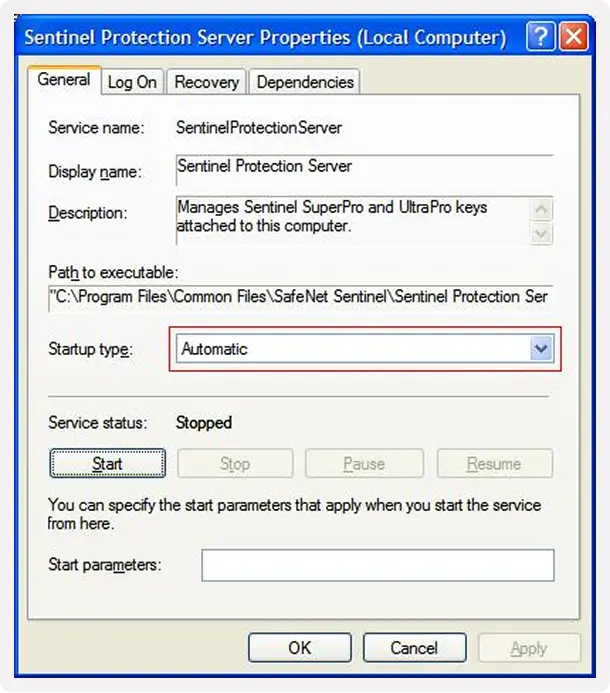
Scroll down to the Sentinel Protection Server listing. In the Properties window check to see that the service is running. If it is not click on the Start button.
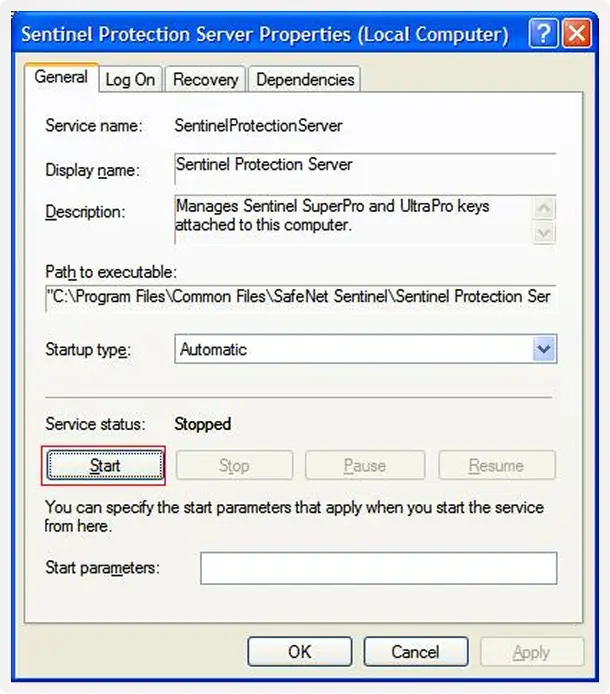
Make sure the Startup Type is selected to Automatic.