


Deleting SSTLM Licenses
Delete existing SST License Manager (pre-7.00) licenses using the Analyse Tool and generate a verification log file for submission.
Deleting An Existing License for SSTLM Version earlier than 7.00
Analyse
01
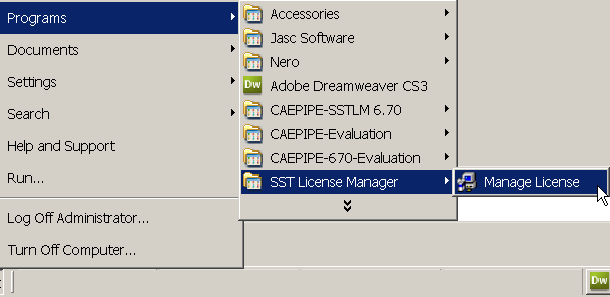
From Windows Start Menu: Programs > SST License Manager > "Manage License"
02
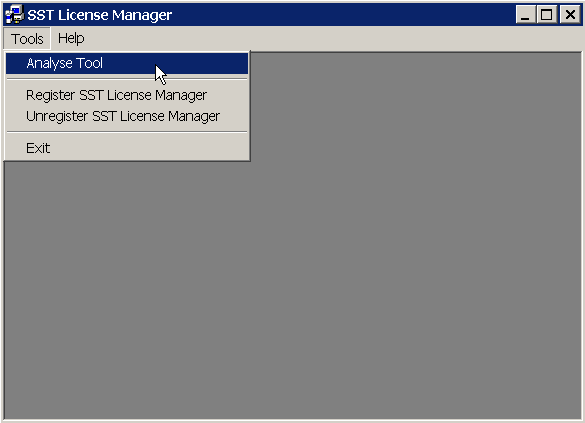
Select "Analyse Tool" through "Tools" menu.
03
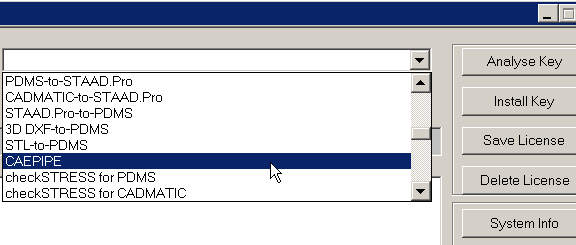
Select the product from the combo box.
04
Press the button "Delete License" and confirm deletion.
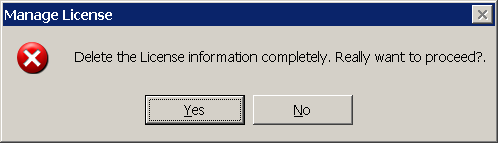
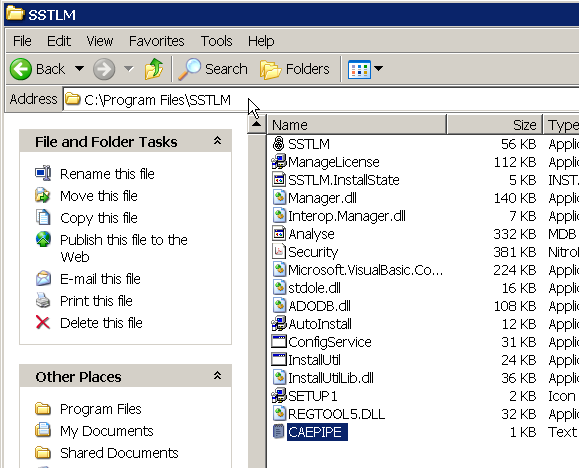
This will create a text file with name equivalent to product name in the SSTLM installation folder. For example, when you select the product as "CAEPIPE", it will create a file with name CAEPIPE.txt in the SSTLM installation folder.
05
Send the file thus generated to SST via email for verification.