
Software Protected Key
Secure your software with a software-based protection key that ensures licensed access, prevents unauthorized use, and enables easy deployment without additional hardware.
Customer Support
Customer Support is moved to our platform PEXit (https://pexit.net) from the conventional email system for better security and tracking. Users can post all support queries to PEXit.
Your Support Query posted to PEXit is visible only to you and the Support Team and NOT to all other PEXit users. In effect, PEXit Customer Support is a private communication and is NOT made public.
Instructions for posting your New Support Queries and Additional Queries related to Previous Support Queries are given here.
Remote Support
If you require SST support staff to access your computer remotely, please use
UltraViewer application. When you run the application you will be prompted with a session ID and password. Have both ready when contacting support.
If you do not have UltraViewer already installed on your machine, download and install from the link below.
How to Install Software keys?
CAEPIPE 3D+
Installation
It's really important that you review the CAEPIPE 3D+ User's Manual so that you can properly set up CAEPIPE 3D+ within your Plant Design software. This is a step you cannot skip with this software or you won't be able to figure out how to make CAEPIPE 3D+ work properly otherwise. For example, there are some reference field tables that need to be setup initially that will allow CAEPIPE 3D+ to read and interrupt the data out of your Plant Design software.
checkSTRESS
Installation
It's really important that you review the checkSTRESS User's Manual so that you can properly set up checkSTRESS within your Plant Design software. This is a step you cannot skip with this software or you won't be able to figure out how to make checkSTRESS work properly otherwise. For example, there are some reference field tables that need to be setup initially that will allow checkSTRESS to read and interrupt the data out of your Plant Design software.
* Important note: checkSTRESS is not used independently by loading the program outside of your Plant Design software; instead it is accessed from within your Plant Design software.*
The instructions for installing the activation key are on Page 14 of the checkSTRESS User's Manual.
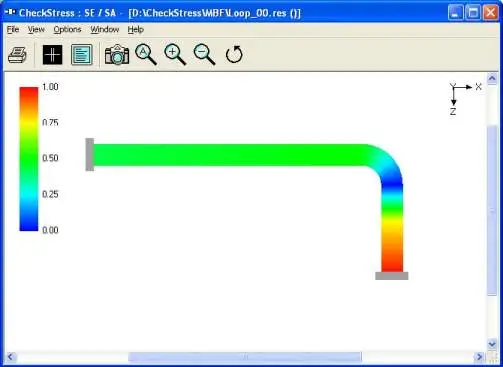
CAEPIPE LM - SST License Manager Protected

SST License Manager (SSTLM)
What's our customer says?

SST Systems, Inc. is a trusted engineering software company established in 1983, specializing in piping design and stress analysis solutions. Known globally for CAEPIPE 3D+, SST supports industries like oil & gas, power, petrochemical, and process plants with reliable tools, expert services, and strong customer support.
Parvez Hossein
CTO of Company
SST Systems, Inc. is a trusted engineering software company established in 1983, specializing in piping design and stress analysis solutions. Known globally for CAEPIPE 3D+, SST supports industries like oil & gas, power, petrochemical, and process plants with reliable tools, expert services, and strong customer support.
Parvez Hossein
CTO of Company
SST Systems, Inc. is a trusted engineering software company established in 1983, specializing in piping design and stress analysis solutions. Known globally for CAEPIPE 3D+, SST supports industries like oil & gas, power, petrochemical, and process plants with reliable tools, expert services, and strong customer support.
Parvez Hossein
CTO of Company
SST Systems, Inc. is a trusted engineering software company established in 1983, specializing in piping design and stress analysis solutions. Known globally for CAEPIPE 3D+, SST supports industries like oil & gas, power, petrochemical, and process plants with reliable tools, expert services, and strong customer support.
Parvez Hossein
CTO of Company
SST Systems, Inc. is a trusted engineering software company established in 1983, specializing in piping design and stress analysis solutions. Known globally for CAEPIPE 3D+, SST supports industries like oil & gas, power, petrochemical, and process plants with reliable tools, expert services, and strong customer support.
Parvez Hossein
CTO of Company
SST Systems, Inc. is a trusted engineering software company established in 1983, specializing in piping design and stress analysis solutions. Known globally for CAEPIPE 3D+, SST supports industries like oil & gas, power, petrochemical, and process plants with reliable tools, expert services, and strong customer support.
Parvez Hossein
CTO of Company