

CAEPIPE Installation
This installation page is for fully licensed CAEPIPE users that use our SafeNet Sentinel hardware keys.
CAEPIPE Installation
This installation page is for fully licensed CAEPIPE users that use our SafeNet Sentinel hardware keys.
NOT for CAEPIPE Evaluation nor CAEPIPE LM
ME&S Clients
Please visit our ME&S Support Page for setup file download and installation instructions.
NON-ME&S Clients
Please visit our NON-ME&S Customer Support Page for setup file download and installation instructions.
Stand Alone License Installation (USB Hardware key has "SafeNet" on it)
Insert your CAEPIPE CD into your computer.
A menu should appear automatically.
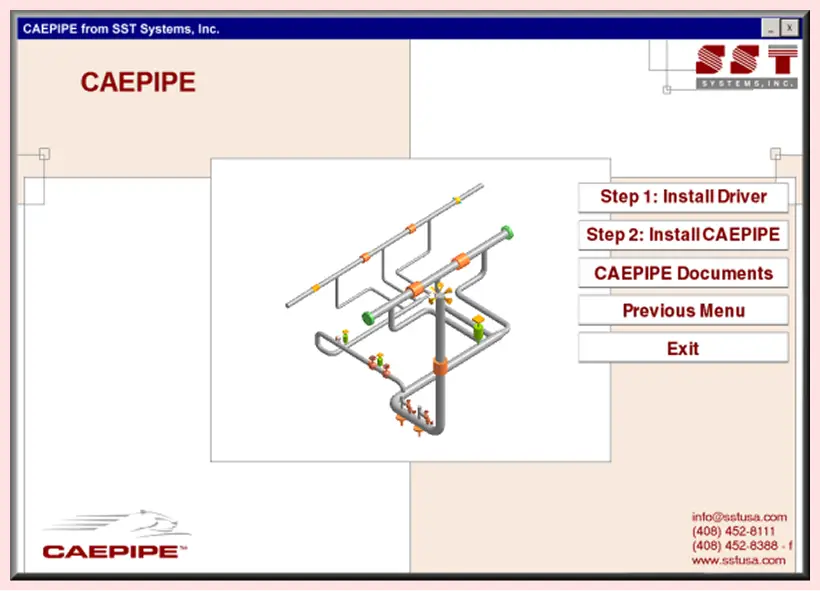
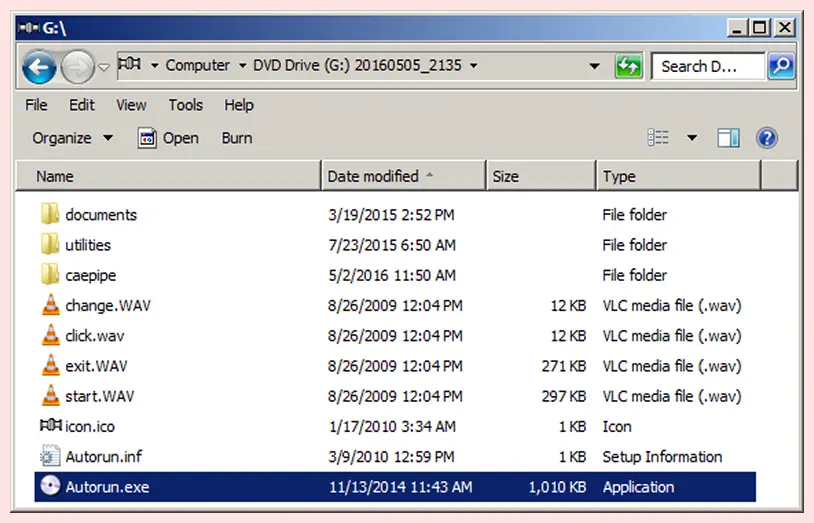
If it does not navigate to (CD-ROM drive letter):\CAEPIPE\Autorun.exe and double-click on "Autorun.exe".
3. Click on Step 1: Install Driver and follow all instructions to complete the installation of the hardware key driver.
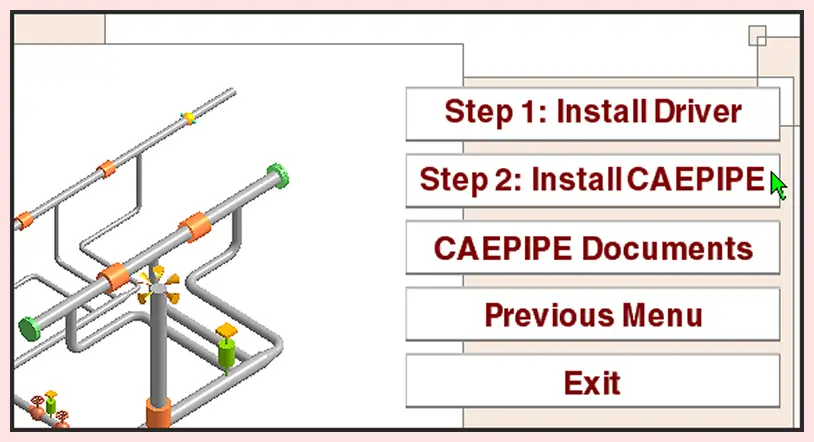
4. Insert your hardware key into the LPT/USB port.
5. Click on Step 2: Install CAEPIPE and follow all instructions to complete the installation of the CAEPIPE.
CAEPIPE should now be fully installed and operational. If you are experiencing any trouble, see our CAEPIPE Troubleshooting page.
Network License Installation (USB Hardware key has "SafeNet" on it)
The installation of a network version of CAEPIPE is similar to a stand alone but takes place on two separate machines.
The Server machine hosts the CAEPIPE license via USB Hardware Key and can also have CAEPIPE software installed.
The Client machine has CAEPIPE installed (without the USB Hardware Key) and connects to the CAEPIPE license hosted by the server machine.
CAEPIPE SERVER MACHINE INSTALLATION:
Follow steps 1 through 5 as described in the Stand Alone Installation procedure above and continue with the additional step 6 listed below.
6. Configure your firewall to allow all In-Bound and Out-Bound network traffic on UDP Port 6001. Please visit our SuperProNet Firewall Configuration page for more details.
CAEPIPE CLIENT MACHINE INSTALLATION:
Follow steps 1 through 5 as described in the Stand Alone Installation procedure above and continue with the additional step 6 listed below.
6. Create NSP_HOST environment variable to connect server machine hosting CAEPIPE license via USB HARDWARE KEY. Please visit our NSP_HOST Configuration page for detailed instructions.
CAEPIPE should now be fully installed and operational. If you are experiencing any trouble, see our CAEPIPE Troubleshooting page.
Common Issues
- Make sure that USB key light comes
- Try different USB port
- Configure NSP_HOST
- Configure Firewall
- Configure Service
What's our customer says?

The free Review module of software is always a very smart way to share the results of your calculations with your clients, so that they can view the results or print and plot them

Ing. Elio MARCUCCI
Plant Design Engineer, EM Studio, Italy.
CAEPIPE is a must-have tool for any engineer dealing with piping systems. It streamlines our work, enhances safety, and offers top-notch customer support.
J. Sridhar
Fives Cail-KCP Ltd., India
CAEPIPE is easy to use with intuitive commands and easy editing. Excellent customer support.
Pat LaPointe
PCLL Engineering Ltd, Canada
CAEPIPE 3D+ works seamlessly with our integrated PID/3D modeling system. CAEPIPE 3D+ allows our designers to interactively assess the piping configuration as they construct the 3D model of the system. This greatly speeds up the design process.
Rod Soule
ENCOREDEC, USA
The user manuals provided are very in-depth and comprehensive. There isn’t any situation I’ve encountered in my pipe stress analysis projects which has not been covered or addressed in the user’s manual.
Thomas W. Lamar, P.E
PID Engineering, USA
I have performed stress analysis using a variety of programs for over 40 years. CAEPIPE is the best stress program available and strongly urge any company to purchase it. The support team is quick to respond when needed but rarely needed.
Rusty Prince PE
Prince Engineering, Inc., USA