


Sentinel Hardware Key Installation
Install Sentinel Protection Installer 7.6.9 using Custom Setup, disable Sentinel Security Runtime, and complete the installation.
Sentinel Hardware Key Installation
There are two important steps that need to be followed when installing Sentinel Protection Installer 7.6.9 (exe), OR Sentinel Protection Installer 7.6.9 (zip). Please follow the instructions as shown below.
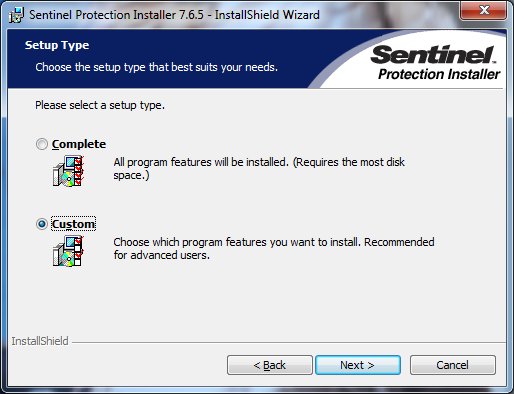
During the installation you will come to the following window. Please click on the "Custom" Setup Type from the two selections available.
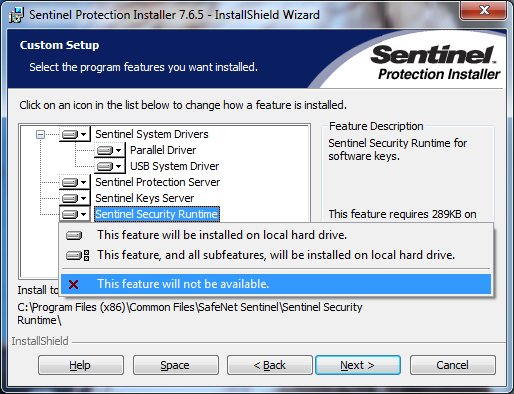
From the Custom Setup options, click on the Sentinel Security Runtime pulldown menu and disable this feature as shown below.
Continue with the rest of the installation procedure to its completion .
Common Issues
- Make sure that USB key light comes on
- Try different USB port
- Configure NSP_HOST
- Configure Firewall
- Configure Service